From ChatGPT Previews to Persistent Micro Apps
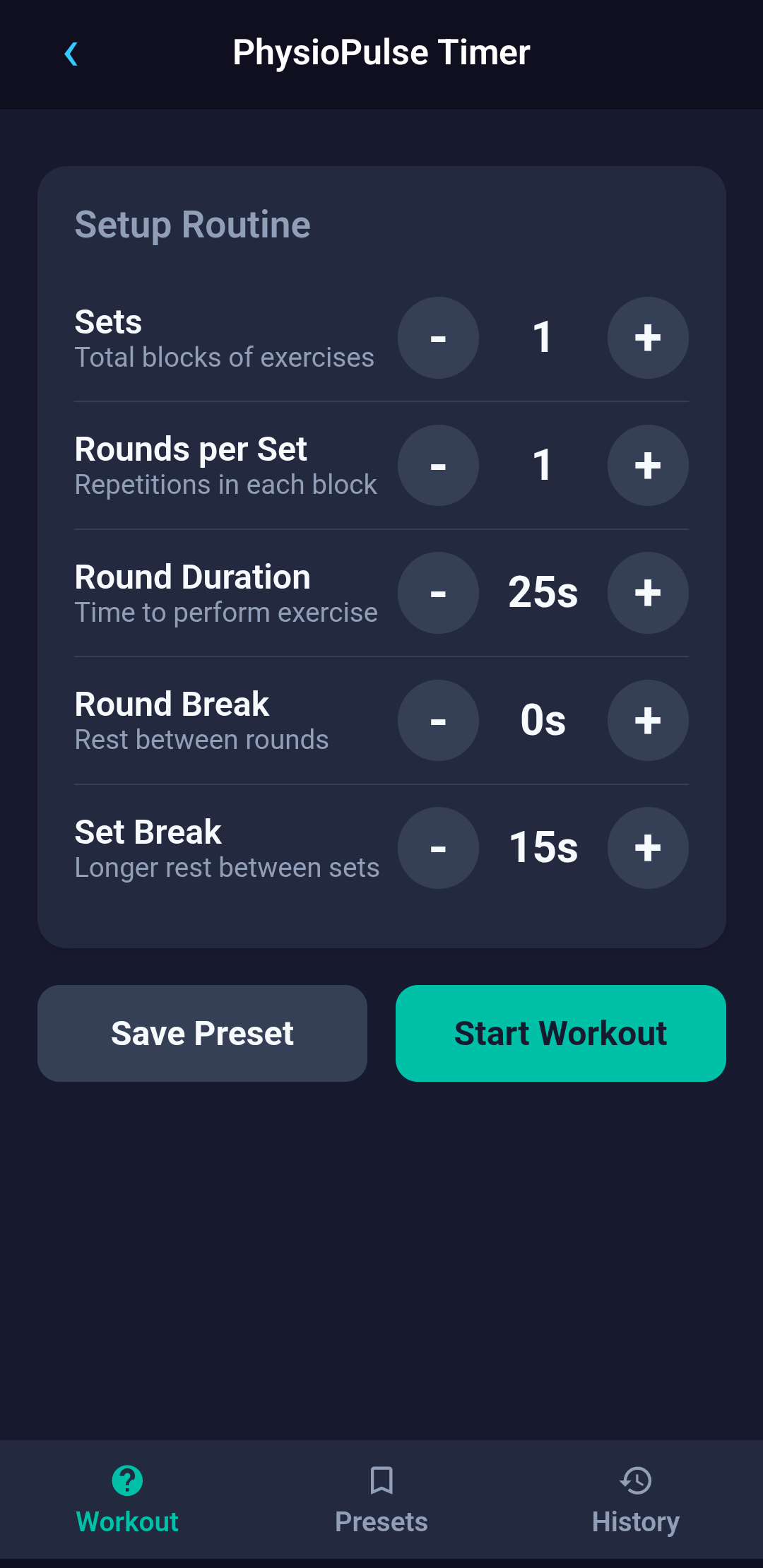
I was recently prescribed a few muscle rehab exercises by my physiotherapist. Each of those exercises required a specific number of sets, number of rounds per set, and duration of each round. A regular timer would help me keep track of each round's duration, but keeping track of the number of sets was a hassle.
I eventually find a very nice timer app that would let me configure my exercises, but when I wanted to add more custom timers for other exercises, It required a paid subscription.
The idea
In 2026, making a customized timer app should be trivial, and really was.
I just asked Chat GPT, which created one exactly the way I wanted (one shot!). It didn't just give me the HTML/JS code with a preview, so I could use the timer in the chat window without deploying/installing it anywhere.
This meant, if I want any simple tool in future, all I need is to ask ChatGPT and it'll give it to me. Perfect, right? Well, almost.
There was a catch. Every time I would need to access my created "apps", I need to dig through my chat history in ChatGPT. Also, it wouldn't persist in-app data such as configurations of the timer, or say I wanted to created multiple timers. After all, they are just "previews".
This was the seed for the idea of Evoke, an app to generate simple yet useful apps right on my phone. No deployments! No hosting! No full development cycle!
Birth of Evoke
I have finally built and published Evoke on the Google Play Store. It is an app where you can generate your own micro apps that behave like standalone apps. Unlike ChatGPT generated previews, your generated apps get persistent storage, launcher shortcuts, native notifications with custom sound selection, LLM access (via Evoke's backend) and other native capabilities.
What Can Evoke Do?
With Evoke, you can create apps by just providing a prompt. It does not have to be a perfect prompt. Even a one liner about what you want (e.g. I want a customizable Pomodoro timer), and a prompt will be generated for you.
The apps are not tied to your device. They are synced with your account, so you can login across multiple devices, or login again after uninstall/reinstall Evoke and your generated apps will be downloaded again for you.
All apps you generate are accessible within Evoke launcher, but you can also create a shortcut to your phone's launcher. And hey, you can give custom names and an emoji as an icon!
The micro apps you generate run inside Evoke's sandbox. Every app is rendered inside an isolated WebView, with controlled access to native capabilities. They are not packaged as independent, installable APKs
Under The Hood
While the LLMs generate your micro apps as HTML, CSS and Javascript code, they are no longer just web pages. Under the hood, the generated apps can access to a set of native bridges exposed by Evoke. Each bridge is exposed as a javascript method that the micro app's code can invoke to use the functionality.
Some of the native bridges are
Persistent storage - gives the micro apps access to Evoke's storage on the device. So the data or configurations that you enter in your micro apps are available across restarts
Notification - Your apps can notify you at a specific time.
Alarm - Schedule alarms. Like notifications, you can also select custom alarm tones
Live timer notification - Live timer progress on notifications generated by your micro apps. They can also have add time (e.g. +1m, +5m) and pause/stop buttons on the notification
Sound Picker - Your apps can allow you to pick a custom sound for notifications. As of now, you can select either system sounds (on Android), or from a downloadable list of sounds that Evoke provides
AI - This is the one which the micro apps use to talk to LLM via Evoke's backend. The API keys never reach the generated code. Evoke's backend moderates all calls to the LLM, and the LLM communication can be configured and evolved independently. The backend currently reject s all requests for apps that are not suitable for children (e.g. violence, abusive, self harm, etc)
Sample Apps
What kind of apps can you generate?
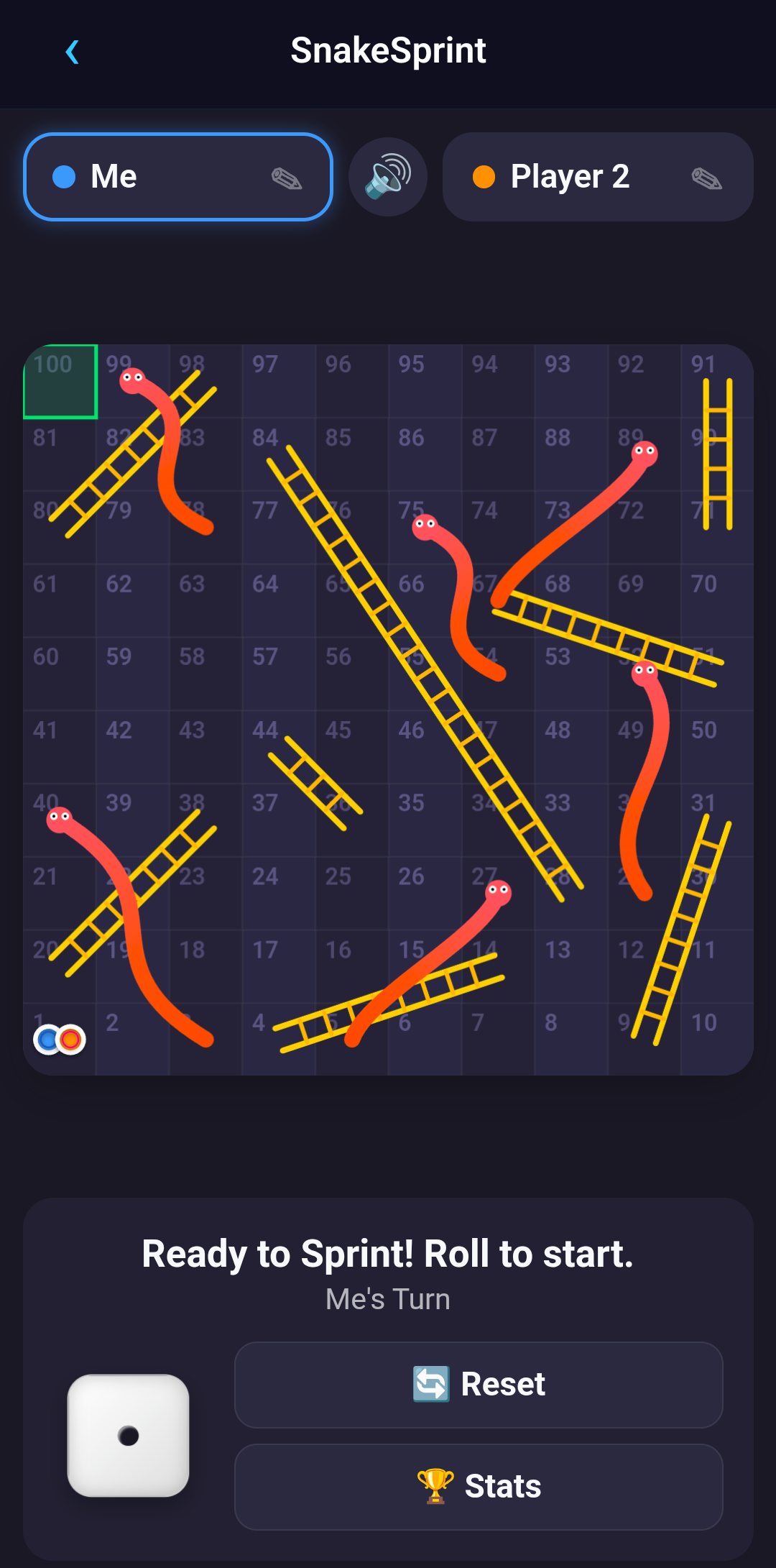
You can generate almost any self contained can run as a HTML/JS page can application. For example : custom timers, todo lists, daily water tracker, trip itinerary tracker, even games like peek-an-animal, snake & ladders, bouncy ball, tic tac toe, etc
Here are some of the sample apps that some of my users have created so far
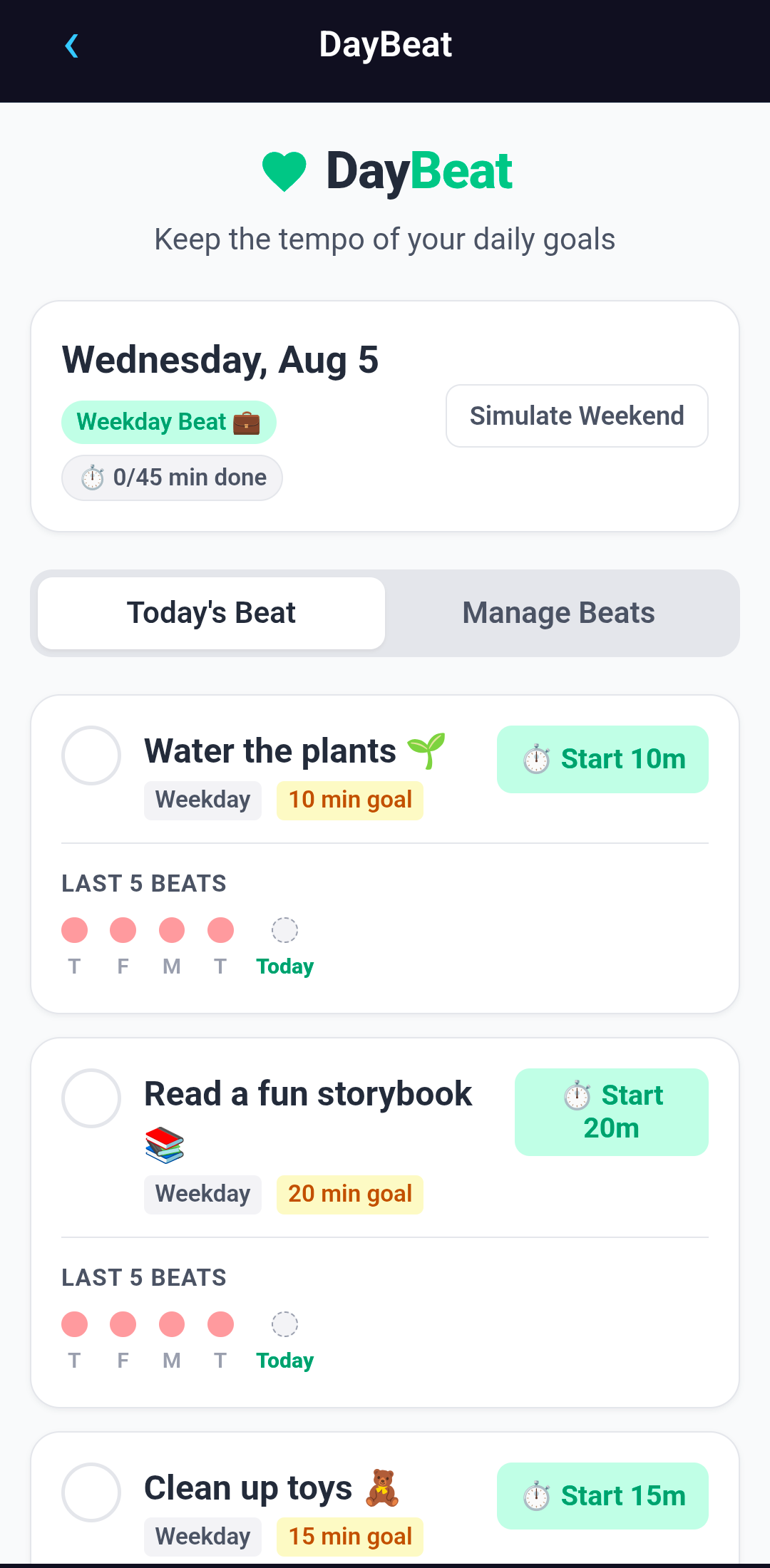
Daily Task Tracker
Custom Workout Timer
Snakes & Ladders
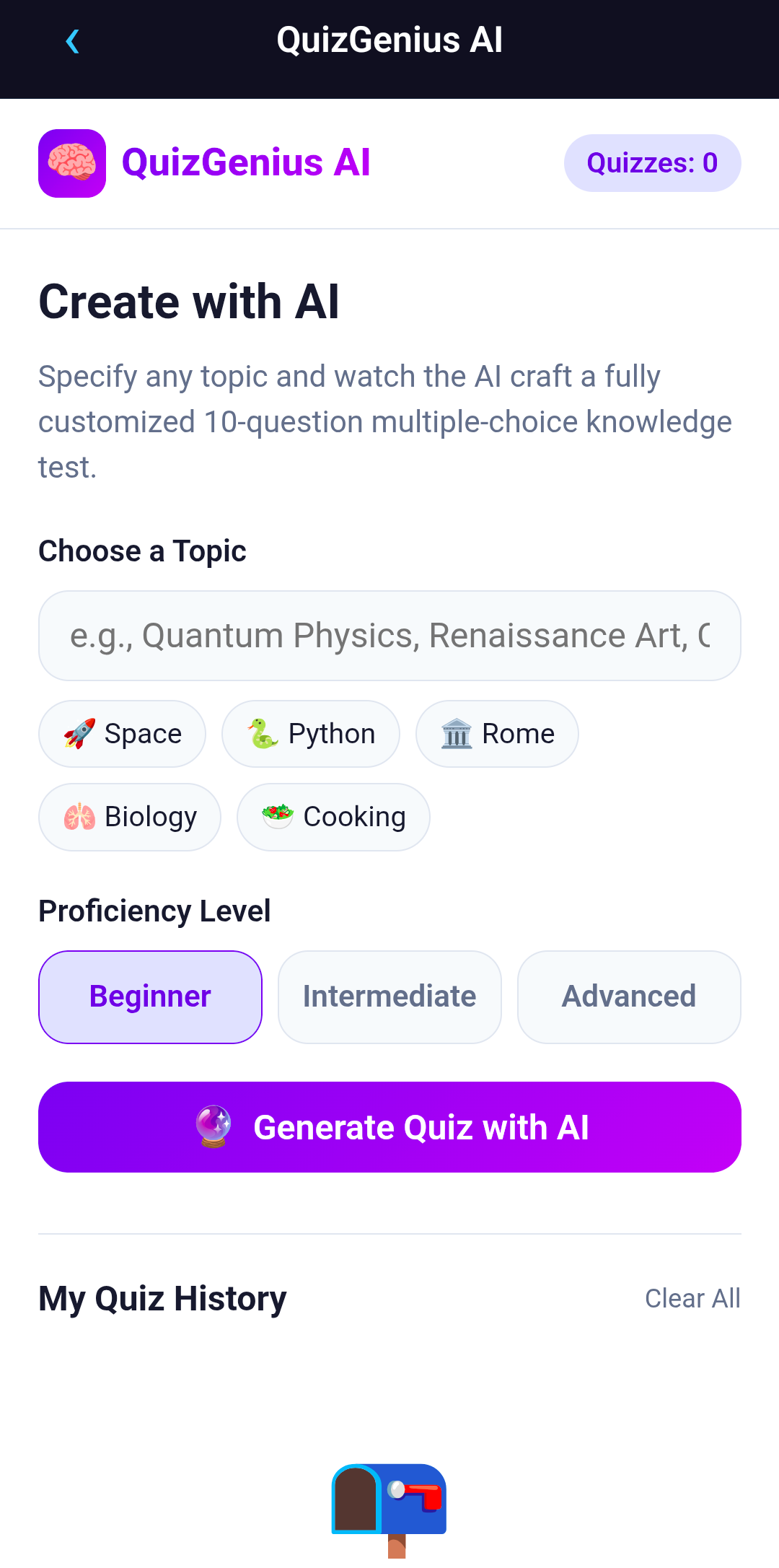
AI Quiz Generator
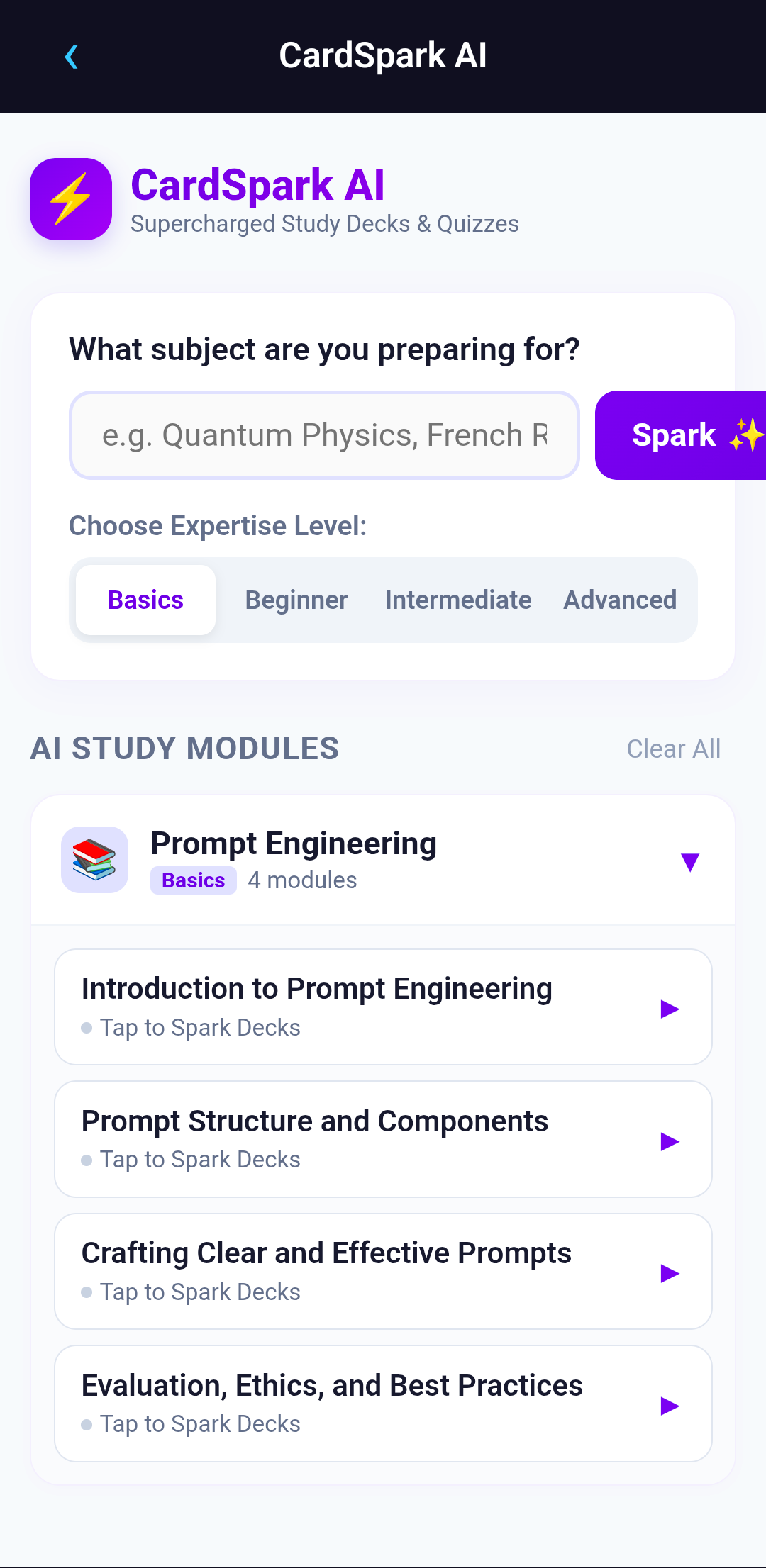
AI Learning Cards Generator
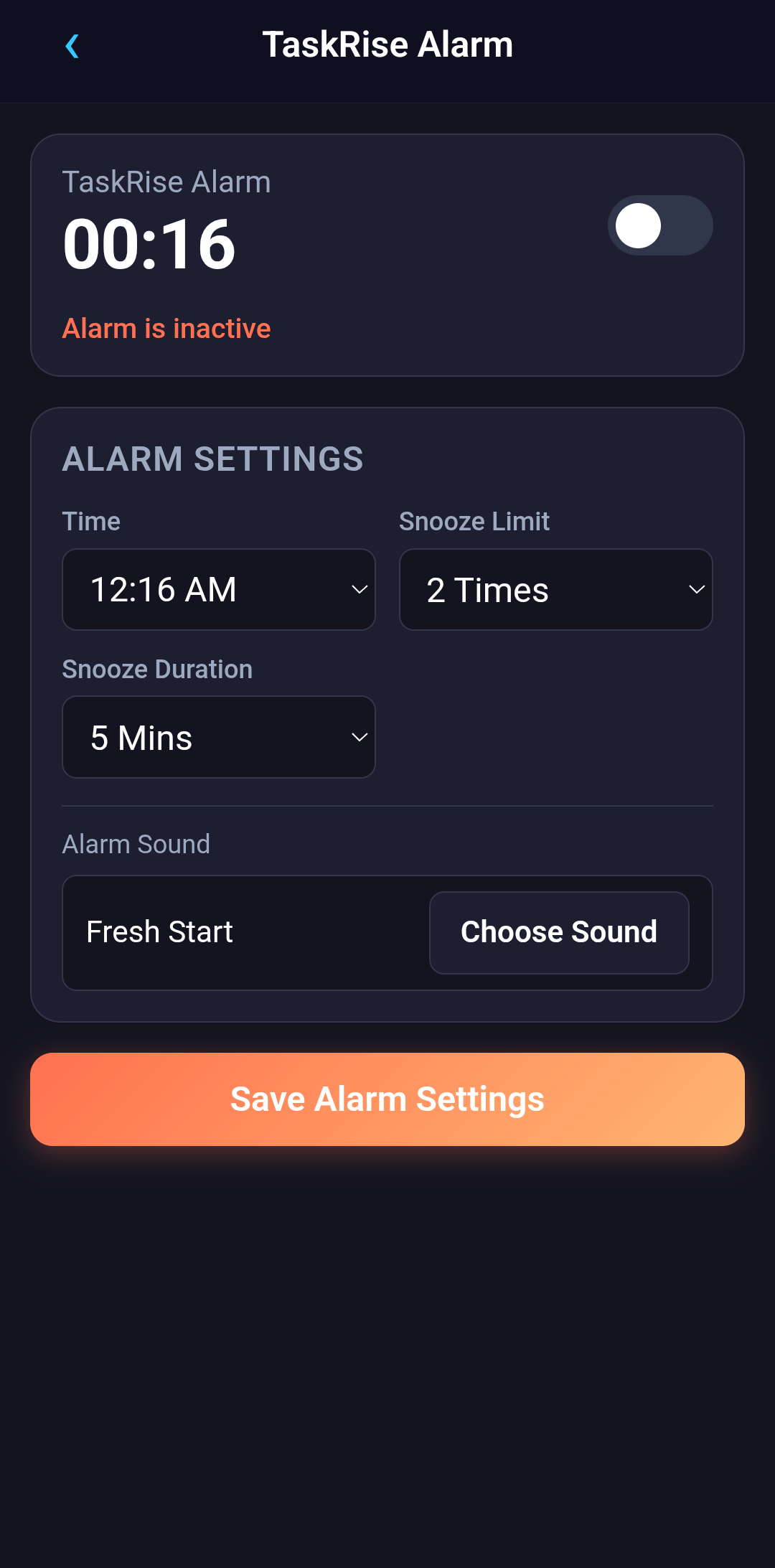
Simple Alarm App
Architecture
On the frontend, each generated app runs as an isolated HTML/JS application inside a WebView and interacts with Evoke through native JavaScript bridges. The more interesting part is the backend, which is responsible for generating, storing, syncing, and powering these apps.
The backend has primarily three responsibilities : generate apps, store them for each user, and facilitate communication with AI.
App Generation Flow
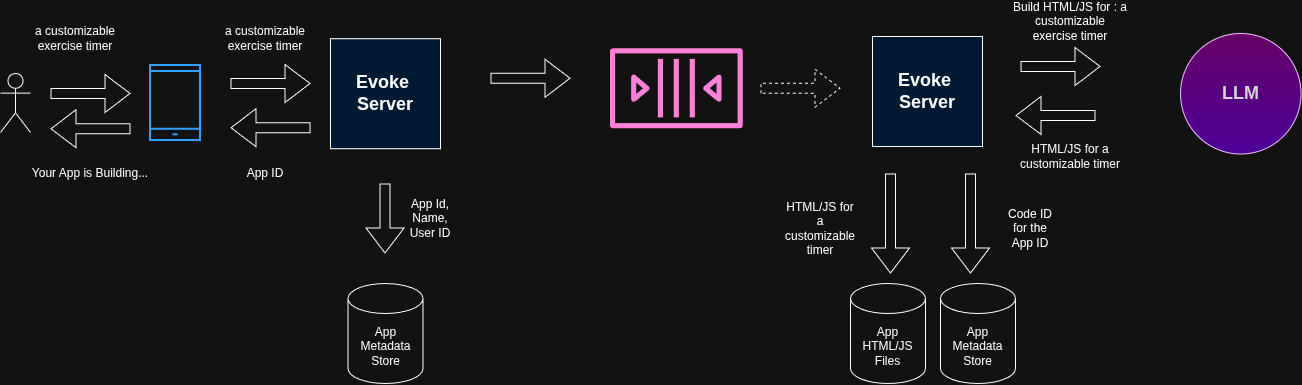
When a user requests a new app, the request first reaches Evoke's backend hosted on Cloudflare workers. Before generating the app, there is a short AI assisted conversation to generate the appropriate prompt to be sent. Once the user confirms, the request is posted to the backend along with native bridges that are available on that app's version. This ensures the LLM only generates code that targets capabilities available in that client version.
Since the app generation may take several seconds, the backend immediately returns an app Id after recording it in the metadata store powered by Cloudflare D1. The client starts polling to check the status while asynchronously the backend generates the app using the configured LLM.
The app generation request is sent as user prompt to the LLM. The system prompt serves two purposes: informing the model about the available native bridges and enforcing UI/UX conventions. This is where Evoke ensures a consistent, high-quality user experience across generated apps.
Modifying an App
Users can also modify apps. The same flow is used for modifications with one difference. The modification flow sends the existing HTML (fetched from R2), app's metadata, native bridges and the user's modification request to the LLM. This ensures that the modifications are incremental, and existing functionality is preserved.
LLM routing
Different workloads have different latency, quality, inferecne and cost requirements. For this reason, I categorized the LLM interactions into 3 categories : App generation, user conversation, and In-app AI. All 3 are separately configurable. for e.g., I can use Claude Sonnet for App generation, but Gemini flash lite for conversations.
Future
I want to add more native bridges, like ability to export and download file to file system(e.g. you may want to download a csv from your custom app that you use to track your time spent on vvarious task), camera access (for e.g. you may want to generate a custom expense tracker app that uses AI to extract your expense from a receipt's image).
I also want to give capability to share the apps you generate with your friends.
Current app generation is not "agentic". that is, I am one-shotting app creation. The prompt is definitely generated from user's input to get a much more refined prompt, but I would be experimenting a much more powerful generation using multiple agents (e.g. product manager, UX, dev, and testing/verification).
Finally, current your app's data is saved on your device, but not to cloud. So, the data you save within a generated app will not be available across devices, or after a reinstall (your app list will be).